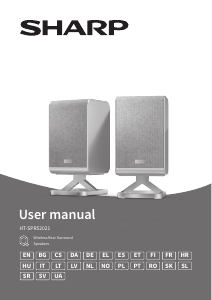
Priročnik Sharp CP-AWS2001 Zvočnik

Potrebujete priročnik za vaš Sharp CP-AWS2001 Zvočnik? Spodaj si lahko brezplačno ogledate in prenesete PDF priročnik v slovenščini. Ta izdelek ima trenutno 5 pogosto zastavljeni vprašanji, 0 komentarjev in ima 0 glasov. Če to ni priročnik, ki ga želite, nas kontaktirajte.

Ali je vaš izdelek okvarjen in v priročniku ne najdete rešitve? Obiščite Repair Café za brezplačno popravilo.

Priročnik

Loading…
6
Do not overtighten screws.
Keep this instruction manual for future reference.
Use an electronic stud nder to check the wall type before
drilling and mounting.
Your wall mount type will determine the size of the screw
you use to secure the speaker to the wall mount.
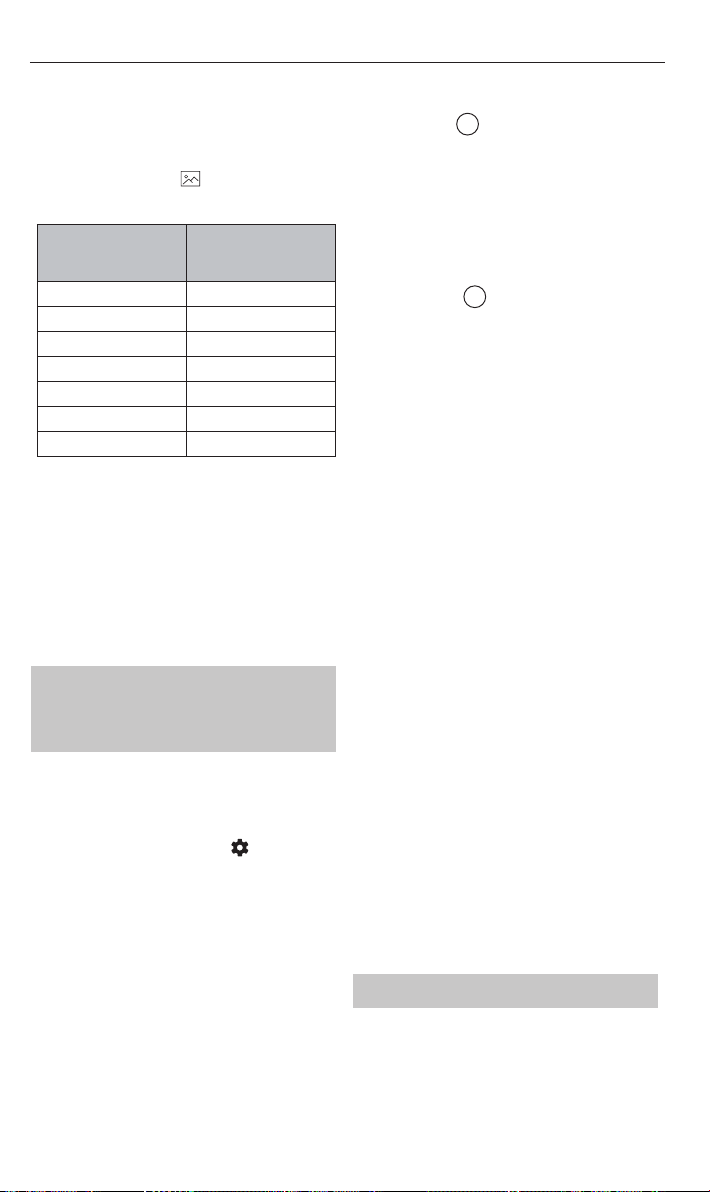
Refer to the table below and
3 on page 3. The table
presumes use of the included wall mounting washer which
is 9mm in depth.
A:
Depth of wall bracket
plate (mm)
B:
Length of screw required
MIN~MAX (mm)
2 14.81~16.7
3 15.81~17.7
3.5 18
4 18
5 18
5.2 18
6 18.81~20.7
NOTE:
The depth of the screw hole on the speaker is 7.5mm
The correct screw type to use is:
Imperial: 1/4-20inch
Metric: 6.35mm diameter, 1.27mm thread pitch
Connect to power
Risk of product damage! Ensure that the power supply
voltage corresponds to the voltage printed on the back or
the underside of the unit.
Connect the power adapter to the DC IN socket of the unit
and then into a mains socket.
Connecting to your AQUOS
Wireless Surround enabled
SHARP TV
Before you can add the wireless surround speakers to your
TV, your TV will need to be connected to online services via
Wi-Fi or LAN/ethernet cable. To do this, follow the network
instructions for your model of TV.
1. To begin the pairing process, press
on the TV
remote control to open the settings menu. Navigate to
<Sound> and then <Wireless Speaker>.
2. In the Wireless Speaker menu, turn <Wireless
Speaker> to "On". The TV will perform a network check.
NOTE: You will need to be connected to a 5GHz Wi-Fi network
for the best wireless speaker performance. If a 5G Wi-Fi
network is not available, a 2.4GHz network can be used. A
2.4GHz network is more prone to interference and may impact
wireless speaker performance.
3. You can start the pairing process with the left or right
rear surround speaker.
4. In the television's Wireless Speaker menu, select <Add
new rear surround speaker>. The TV will prompt
you to conrm the speakers are connected to a power
supply and located in their nal positions. Select <OK>
to begin the pairing process.
5. Short press the
PAIR
button on the back of one of the
speakers. The speaker will begin pairing with the TV.
To conrm pairing mode, the LED on the rear of the
speaker will ash green.
6. On-screen prompts will appear one after the other on
the TV which will require your input:
a. Invitation to connect.
Select <Accept> to proceed with the pairing. The
TV will conrm pairing in the bottom right corner of
the display.
Now press the
PAIR
button on the back of the other
speaker. Select <Accept> to proceed with the pairing.
Now both speakers are paired to the TV.
NOTE: Once the speakers are paired to the TV,
a rmware upgrade may be detected. If this
occurs, please allow the speakers to upgrade.
b. Left and right speaker conrmation
You will hear a tone coming from a speaker.
1. If the tone is coming from your left surround
speaker, choose <Left surround>.
2. If the tone is coming from your right surround
speaker, choose <Right surround>.
3. Select <I cannot hear a sound> if no tone is
audible.
NOTE: The left and right rear surround speaker position
is determined by your left and right side as you face
the TV.
c. Optimise wireless connection
Select <Continue> to begin the connection
optimisation process.
d. Adjust listening position
You will be invited to enter distance values between
your listening position and elements of the sound
system.
This balances each speakers output to create the
optimal sound stage.
After selecting the distance values, select
<Continue>.
NOTE: This balance only aects the speakers whilst
using the AWS system.
7. Select <Finish> to complete the pairing process.
NOTE:
During the pairing process, the speakers may perform an
over-the-air update. Please allow this process to nish.
Some of the functions and features described in this
document may change. For the latest information, please
refer to the online TV manual. You can nd the online TV
manual by selecting the SHARP app from the TV's home
screen.
Setting speaker properties
Whilst in the Wireless Speaker menu, select <Left rear
surround speaker property> or <Right rear surround
speaker property>. Choose from:
Name
Allows you to change the name of the speaker.
Prenesi priročnik v slovenščini (PDF, 6.49 MB)
(Upoštevajte okolje in natisnite ta priročnik le, če je res potrebno)

Loading…

Ocena

Povejte nam, kaj menite o Sharp CP-AWS2001 Zvočnik, tako da oddate oceno izdelka. Ali želite deliti svoje izkušnje z izdelkom ali postaviti vprašanje? Oddajte komentar na dnu strani.
Ali ste zadovoljni z Sharp CP-AWS2001 Zvočnik?
Da Ne
Bodite prvi, ki boste ocenili ta izdelek
0 glasovi

Pridružite se pogovoru o tem izdelku

Tukaj lahko delite svoje mnenje o Sharp CP-AWS2001 Zvočnik. Če imate vprašanje, najprej natančno preberite priročnik. Zahtevo za priročnik lahko opravite z uporabo našega kontaktnega obrazca.

Več o tem priročniku

Zavedamo se, da je lepo imeti papirni priročnik za vaš Sharp CP-AWS2001 Zvočnik. Priročnik lahko vedno prenesete z naše spletne strani in ga natisnete sami. Če želite imeti originalni priročnik, priporočamo, da kontaktirate Sharp. Morda bodo lahko zagotovili originalni priročnik. Ali iščete priročnik za vaš Sharp CP-AWS2001 Zvočnik v drugem jeziku? Na naši domači strani izberite želeni jezik in poiščite številko modela, da preverite, ali je na voljo.

Specifikacije

Blagovna znamka Sharp
Model CP-AWS2001
Kategorija Zvočniki
Vrsta datoteke PDF
Velikost datoteke 6.49 MB

Vsi priročniki za Sharp Zvočniki
Več priročnikov za Zvočniki

Pogosto zastavljena vprašanja o Sharp CP-AWS2001 Zvočnik

Naša podporna ekipa išče uporabne informacije o izdelkih in odgovore na pogosta vprašanja. Če v pogosto postavljenih vprašanjih odkrijete nenatančnost, nam to sporočite prek obrazca za stik.

Zvočnik želim povezati s televizorjem s priključkom HDMI, katera vrata naj uporabim? Potrjeno

Uporabiti morate vrata HDMI-ARC, ki so posebej izdelana za priključitev zvočne opreme.

To je bilo koristno (1488) Preberi več

Kaj pravijo frekvence o mojem zvočniku? Potrjeno

Označuje obseg frekvenc, ki jih lahko proizvaja zvočnik. Večji razpon frekvenc bo zagotovil večje razlike v zvoku in bo ustvaril kakovostnejši zvok.

To je bilo koristno (795) Preberi več

Kdaj je moja glasba preglasna? Potrjeno

Zvoki nad 80 decibelov (dB) lahko poškodujejo sluh. Zvoki nad 120 dB takoj poškodujejo sluh. Resnost škode je odvisna od tega, kako pogosto in kako dolgo je zvok prisoten.

To je bilo koristno (477) Preberi več

Ali bluetooth deluje skozi stene in stropove? Potrjeno

Signal Bluetooth bo deloval skozi stene in strop, razen če so izdelani iz kovine. Glede na debelino in material stene lahko signal izgubi na moči.

To je bilo koristno (238) Preberi več

Do katere ravni hrupa je varno za otroke? Potrjeno

Otroci poškodujejo sluh hitreje kot odrasli. Zato je pomembno, da otrok nikoli ne izpostavljate hrupu, ki je močnejši od 85 dB. V primeru slušalk obstajajo posebni modeli za otroke. V primeru zvočnikov ali drugih situacij morate biti previdni, hrup ne preseže te ravni.

To je bilo koristno (212) Preberi več
Priročnik Sharp CP-AWS2001 Zvočnik

Podobni izdelki

Sorodne kategorije

×
Download